
PA Navigate in Action: Helping District Offices Connect Constituents to Local Resources
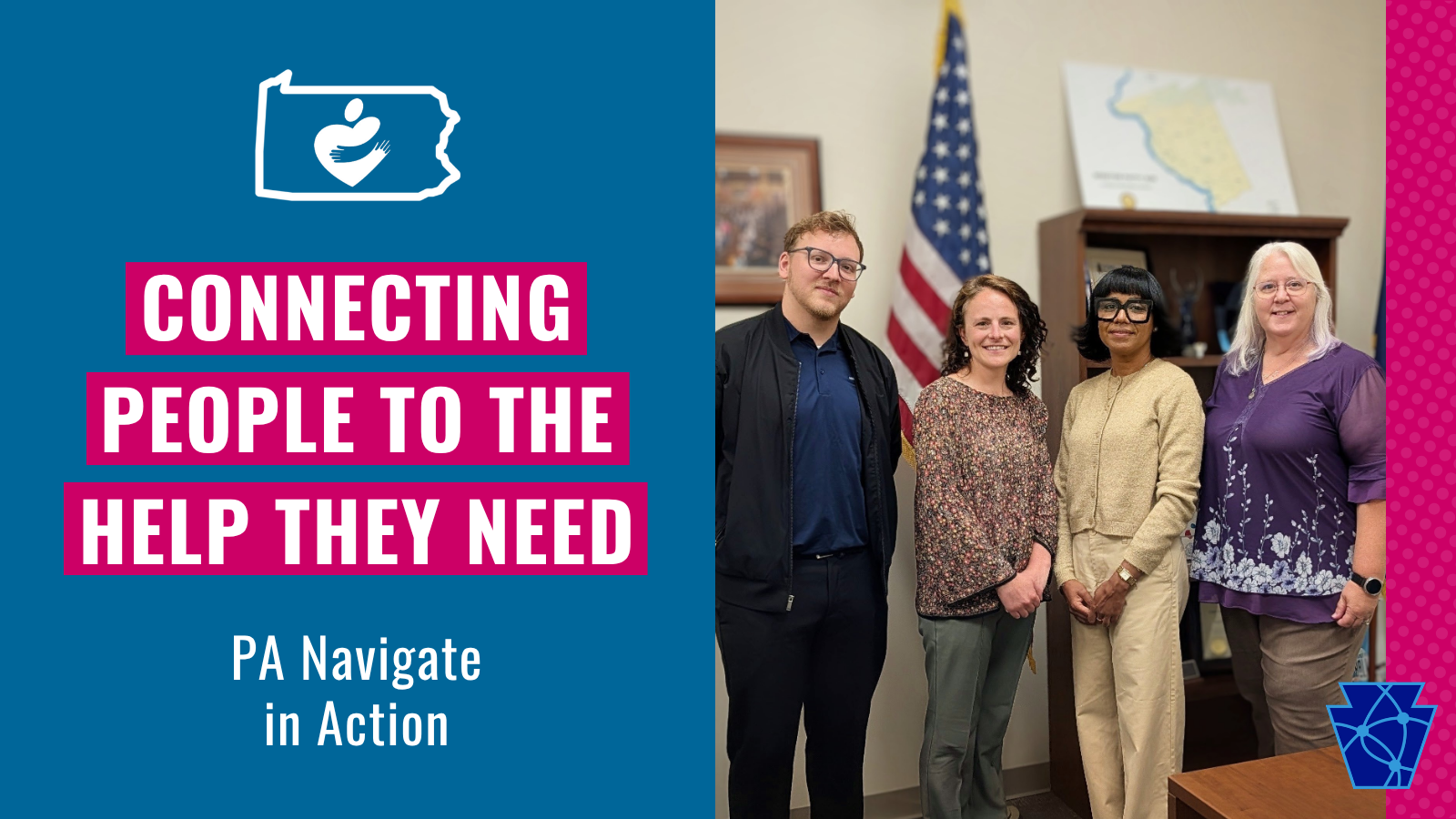
Image Description: A white headline reads “CAAP TRAINING & WORKSHOPS” on a blue and magenta background. Below that is a subheadline that reads “Building Skills and Improving Organizations. At the top is a small flag that says “CAAP 101” and on the right is a photo of CEO Beck Moore holding a microphone and speaking to a group.
When someone calls or walks into a district office asking for help, the need is often immediate.
A family may be looking for food support. A senior may need help finding transportation. Someone may be facing a utility shutoff, a housing concern, or a health-related need they do not know how to solve on their own.
District office staff are often one of the first places people turn.
That makes reliable resource connection incredibly important.
Recently, the Community Action Association of Pennsylvania (CAAP) brought PA Navigate directly to the people helping constituents find support every day: local elected officials’ staff.
Kat Royer, Chief Community Impact Officer at CAAP, and Matthew Moser, Community Engagement Manager, partnered with Jen Wintermyer, Chief Executive Officer at Tri County Community Action, to present PA Navigate at Senator Patty Kim’s district office in Harrisburg.
The in-person session brought together staff from Senator Kim’s office, along with representatives from the offices of Representatives Madsen, Fleming, and Davison.

Image Description: A textured cream background reads “Reliable resources are necessary for community support.”
Why is PA Navigate Important to Our Representatives?
Did you know that Senator and Representative offices field calls from constituents that simply don’t know where else to turn? From community resources to navigating complex systems, the office staff often help constituents find resources that make a difference.
PA Navigate is an online tool that helps connect people to local programs and services. A resource like that makes a real difference for district office staff helping constituents.
Instead of searching across many different websites, staff can use PA Navigate to look for resources in one place. The platform helps users find programs related to food, housing, transportation, utilities, health care, financial support, employment, and other needs.
It also gives staff helpful details about the resources they find.
They can see whether an organization has claimed its listing, whether information has been updated recently, and whether a program is actively accepting referrals.
When a district office refers a constituent to a local program, staff want to know the information is current and that the support is truly available. PA Navigate helps make that connection clearer and more reliable.

Image Description: A textured blue background with white text reads, “PA Navigate provides current, reliable information, helping district staff support Pennsylvanians.”
Why District Offices Are Important Partners
District offices play an important role in community support.
Staff often hear directly from residents who are facing barriers, confusion, or urgent needs. They may not be case managers, but they are trusted points of contact for many people in their communities.
They need tools that are easy to use, practical, and connected to real local resources.
PA Navigate fills a gap that can be quite hard to fill, giving them a constantly updated tool that fits the current needs.. It gives district office staff a way to search for programs, understand what is available nearby, and connect people to the right support more quickly.
The platform also gives elected officials a better view of what residents are asking for most. Search trend data can help offices see patterns in community needs and understand where gaps may exist. As our representatives, they need accurate information on what’s happening in the communities they represent.
That information can support better conversations about what communities need and where additional support may be needed.

Image Description: A photo of cardboard boxes full of canned food with hands passing food out. On the right, magenta and dark blue text reads, “Our representatives need accurate information on the communities they represent.”
Local Community Action at the Table
One of the strongest parts of the session was having a local Community Action Agency at the table.
Tri County Community Action was able to share firsthand how PA Navigate is being used in daily work. Their perspective helped show how the platform works beyond a demonstration.
It also showed how PA Navigate can support the people and organizations already serving communities.
Tri County Community Action shared how the platform has improved their efficiency. They also discussed their current integration of PA Navigate with their client tracking system. Once complete, that integration will allow the agency to accept and manage referrals and update client information in one place.
That kind of connection is paramount.
When systems work together, staff can spend less time chasing information and more time helping people move toward the support they need.

Image Desctiprion: A mangenta textured background has white text that reads, “When systems work together, staff can spend more time helping people.”
Building Stronger Referral Pathways
At its core, PA Navigate is about connection.
It helps connect people to services and it helps connect organizations to one another.
It also helps connect public offices, community-based organizations, and local agencies around the needs of their residents.
For district office staff, this can be especially helpful. Many constituents come to them with more than one need. A housing issue may connect to income. A utility concern may connect to health. A transportation barrier may affect employment, medical care, food access, or family stability.
PA Navigate helps staff look across those needs and find local resources that may be able to help.
That’s one reason CAAP’s role in community engagement is so important. The value of the platform grows when more organizations understand it, use it, update their information, and accept referrals.
Strong referral systems do not happen on their own.
They take outreach, training, trust, and local partners who understand how support actually reaches people.

Image Description: On the right, a photo of volunteers and community members are sharing food. On the left, a textured cream background with blue text reads, “PA Navigate connects organizations to one another.”
A First Step Toward Broader Outreach
This district session was the first of what CAAP hopes will become a broader outreach effort with elected officials across Pennsylvania.
The goal is to highlight the Community Action Agencies and community-based organizations behind the work.
Across the state, local agencies are helping people meet basic needs, navigate systems, and move toward stability. PA Navigate can help make those services easier to find and easier to connect with.
By bringing PA Navigate into district offices, CAAP is helping build stronger pathways between residents, elected officials, and local support networks.

Image Description: A textured cream background with blue and magenta text that reads: CAAP Continues to build stronger connections with elected officials across Pennsylvania.” On the right is the CAAP symbol: a magenta heart-shaped person symbol with hands hugging it.
Learn More About PA Navigate
CAAP is grateful to Senator Patty Kim’s district office, the participating legislative offices, and Tri County Community Action for taking part in this important conversation.
When people ask for help, the path to support should be clear.
PA Navigate helps make that possible.
To learn more about PA Navigate or connect with CAAP’s community engagement team, visit PA Navigate online or contact CAAP for more information.